Traffic
Overview
The Traffic module provides a real-time and historical overview of the data flowing through your platform. It gives administrators visibility into packet volume and bandwidth consumption across all connected networks and devices.
Traffic Dashboard
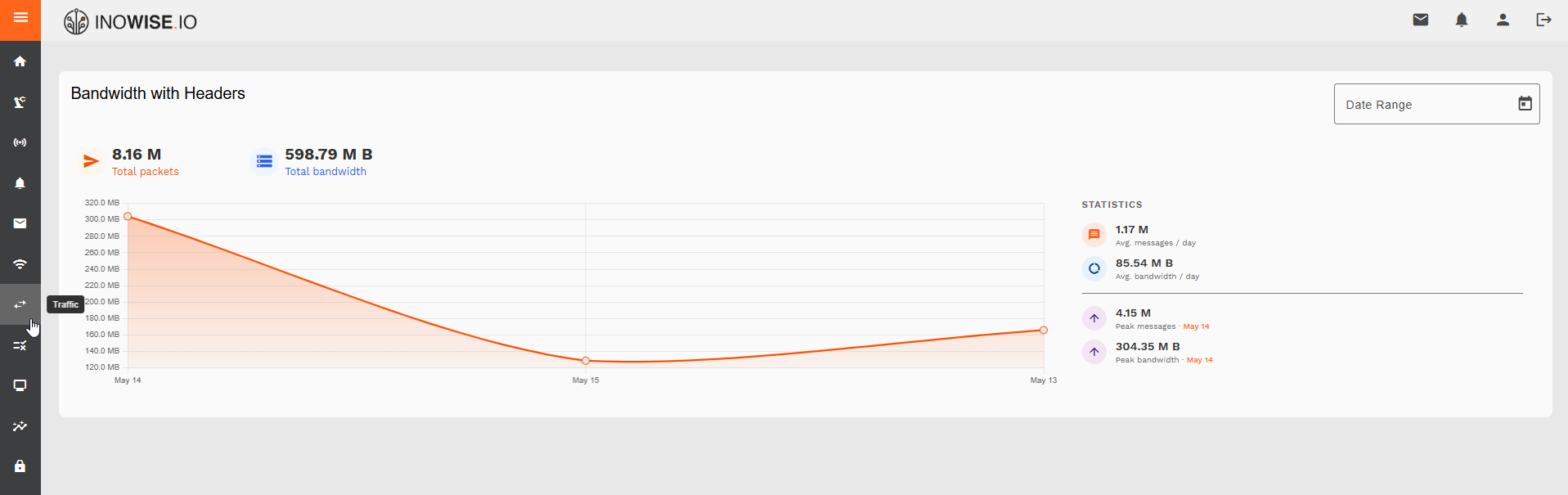
The traffic overview displays a time-series chart of bandwidth usage across a selected date range, alongside aggregated statistics for the period.
Summary Metrics
| Metric | Description |
|---|---|
| Total Packets | The total number of data packets transmitted in the selected period |
| Total Bandwidth | The cumulative data volume transferred in the selected period |
Statistics Panel
| Metric | Description |
|---|---|
| Avg. messages / day | Average number of messages received per day |
| Avg. bandwidth / day | Average data volume transferred per day |
| Peak messages | Highest single-day message count and the date it occurred |
| Peak bandwidth | Highest single-day bandwidth usage and the date it occurred |
Date Range Filter
Use the Date Range selector in the top right of the Traffic module to filter the chart and statistics to a specific time window. This allows you to analyse traffic patterns across custom periods and identify trends or anomalies.
What You Can Do With Traffic
From the Traffic module you can:
- Monitor overall data volume flowing through the platform
- Identify peak usage days to understand load patterns and plan capacity
- Compare bandwidth trends over time using the date range filter
- Detect anomalies such as unexpected spikes or drops in traffic
- Track messaging activity alongside bandwidth to correlate communication volume with data usage